

This page matches SDK 2.0.0. Auth: Auth & License. Makeup / reshape enums: Parameter enums.
Add SDK dependency
Method A: CocoaPods (recommended)
Method B: Manual framework
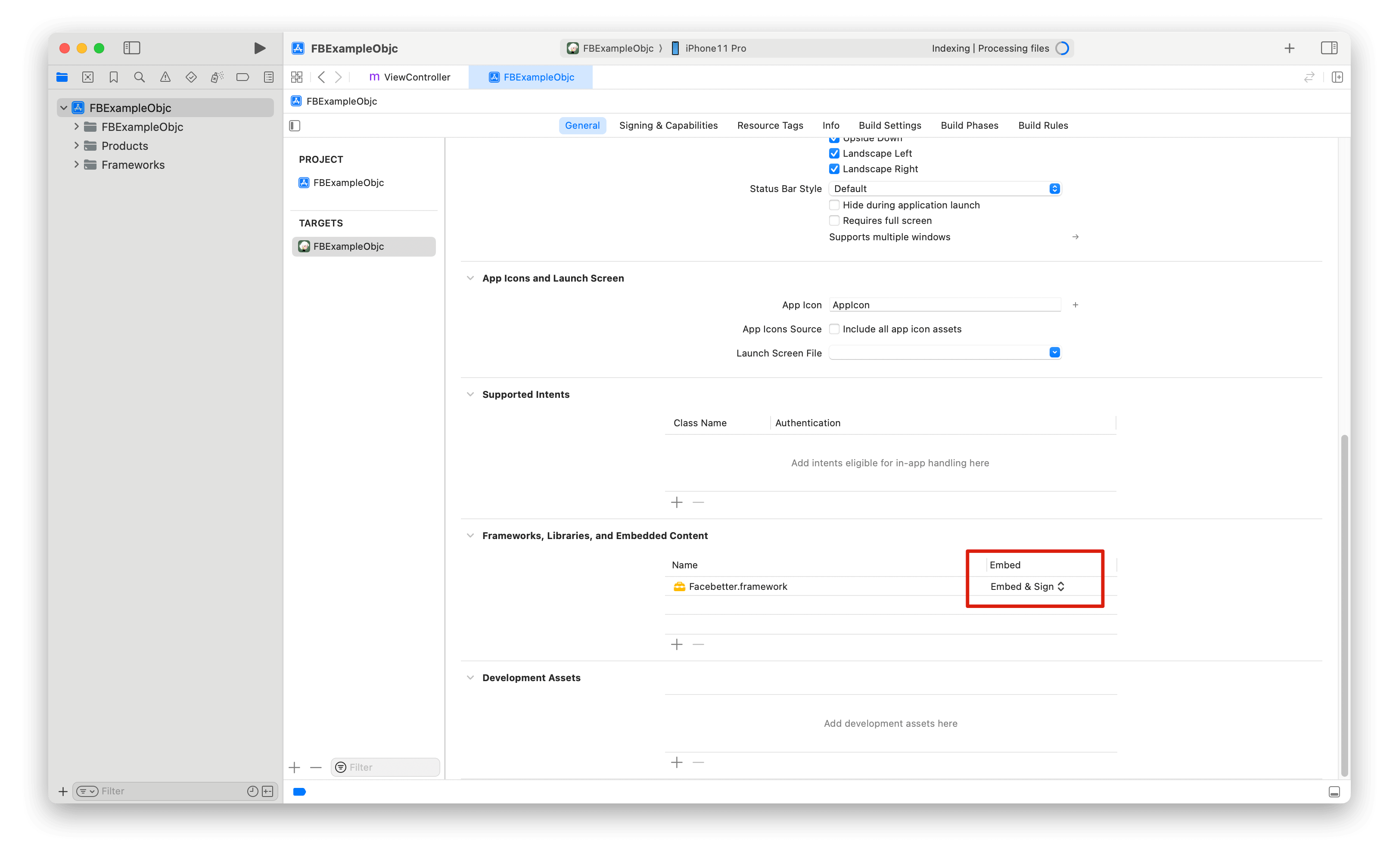
Download the SDK from Download, copyFacebetter.framework into the project, and embed the dynamic library with Embed & Sign.
Permissions
Add camera permission inInfo.plist only if the app captures from the camera:
Import
Log configuration
Logging is off by default. CallsetLogConfig: before creating the engine.
Create the engine
Bind the iOS Bundle ID, then pass eitherlicenseToken or appId + appKey. See Get AppID and AppKey and Auth & License.
Priority: if licenseToken is non-empty (license token string, {token} JSON, or .lic contents), the SDK validates it locally. Otherwise it uses appId + appKey against /facebetter/v2/auth.
createEngineWithConfig: returns an instance, not a singleton.
Skin beauty
Intensity is typically[0.0, 1.0]. Style enums: Parameter enums.
Skin-only
When enabled, smoothing / whitening / rosiness apply only to detected skin.Face reshape
setReshape:intensity: range is [-1.0, 1.0]. 0 is off. Parameters: FBReshape_FaceThin … FBReshape_BrowThickness (0–25). Meanings: Parameter enums.
Body reshape
setBodyReshape:intensity: range is [0.0, 1.0]. 0 is off. Register resource_body.fbd with addResourcePack: first. Parameters: FBBodyReshape_BodySlim … FBBodyReshape_TorsoLong (0–8). See Parameter enums and Optional resource packs.
Makeup
Intensity, shape, and color are separate calls. Full presets: Parameter enums.Virtual background
Portrait segmentation is the default mask. Blur level is[0.0, 1.0]; 0 clears blur. Image path must be a non-empty png/jpg.
Chroma key
Chroma key replaces the mask only. Fill is still blur or the replacement image.Filters and stickers
Pass a.fbd file path or in-memory bytes. Changes take effect on the next processImage:.
resource_3d.fbd pack (not in the framework). See Optional resource packs:
Callbacks and stats
Process images
FBImageFrame supports I420, NV12, NV21, RGB, RGBA, BGR, BGRA, file, texture, and UIImage.
type then call processImage: (no extra mode argument). Output keeps the input format.
dataY, dataU, dataV, dataUV and strideY / strideU / strideV / strideUV.
External texture
GL_LINEAR, GL_CLAMP_TO_EDGE. The engine does not delete your input texture. Output textures are owned by the SDK.
For TRTC / Agora / LiveKit: Third-party Integration.
Lifecycle
Keep a strong reference for the session. Nil the engine when the view controller is gone. Pause the capture session when leaving the screen so you stop callingprocessImage:.