> ## Documentation Index
> Fetch the complete documentation index at: https://docs.facebetter.net/llms.txt
> Use this file to discover all available pages before exploring further.
# Quick Start
> Run iOS Sample Application
## Environment Requirements
* **iOS Version**: `iOS 12.0` and above
* **Development Language**: `Objective-C`
* **Architecture Support**: `arm64`
## Get Sample Source Code
Clone the [GitHub repository](https://github.com/pixpark/facebetter-sdk) locally, and navigate to the `demo/ios` directory.
```bash theme={null}
# clone
git clone https://github.com/pixpark/facebetter-sdk.git
# Enter iOS Demo directory
cd facebetter-sdk/demo/ios
# Install dependencies
pod install
```
**Xcode 15+ Compilation Error Handling**
If you are using **Xcode 15** or later, you might encounter a `Sandbox: rsync.samba deny(1)` error during compilation. This is caused by Xcode's default **User Script Sandboxing** being enabled.
**Solution:**
1. Select your **Project** in Xcode.
2. Navigate to the **Build Settings** tab.
3. Search for `ENABLE_USER_SCRIPT_SANDBOXING`.
4. Change its value from `Yes` to **`No`**.
## Configure Application Information and Keys
### Bind Application Bundle ID
Follow the instructions on [this page](/intro/enable-service#bind-application-information) to bind your iOS application Bundle ID in the console, for example: `com.example.app`
### Get AppID and AppKey
Follow the instructions on [this page](/intro/enable-service#get-appid-and-appkey) to get your `appid` and `appkey`. Open `ViewController.m` in the project and modify the `appid` and `appkey`.
```objc theme={null}
FBEngineConfig *engineConfig = [[FBEngineConfig alloc] init];
engineConfig.appId = @"your appId";
engineConfig.appKey = @"your appkey";
// Optional: If licenseJson is provided, license data verification takes priority, appId and appKey are not required
// engineConfig.licenseJson = @"your license json string";
self.beautyEffectEngine = [FBBeautyEffectEngine createEngineWithConfig:engineConfig];
```
`licenseJson` takes priority over `appId` + `appKey`. For offline download and details, see [License & Auth](/intro/license).
## Run the Project
Open `demo/ios/FBExampleObjc.xcworkspace`
1. Ensure Xcode project signing is correct
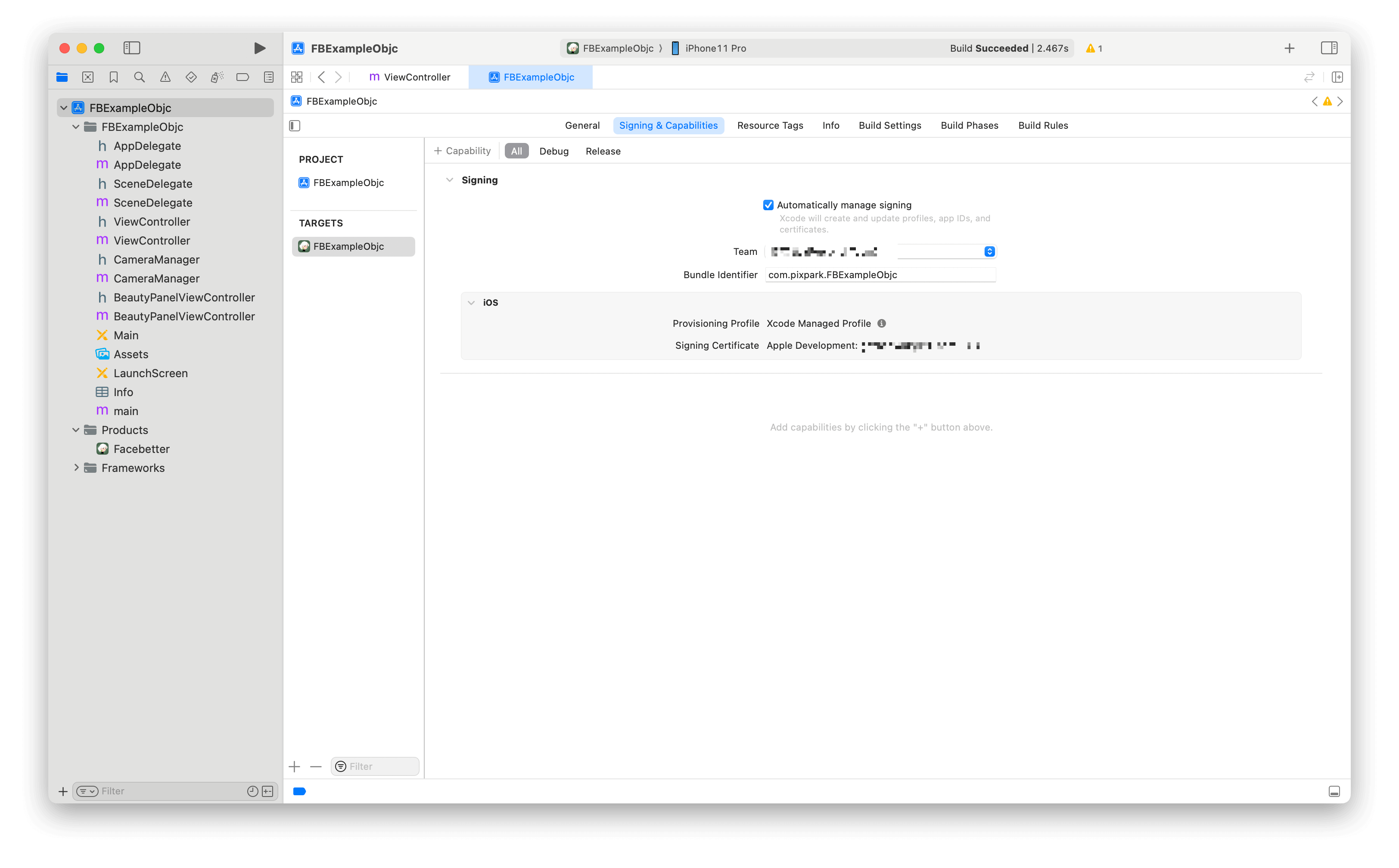 2. Build and run
Select a physical device and click the build and run button.
2. Build and run
Select a physical device and click the build and run button.